
Quick Summary
Not sure whether to open a hypermarket vs supermarket? Supermarkets are smaller, located near homes, and sell daily food items. Hypermarkets are very large, built on city outskirts, and sell groceries plus electronics, clothes, and furniture. Each needs different operations, inventory systems, and POS software to run properly.
Table Of Contents
Introduction
Though the names seem quite familiar, there is a lot of difference between hypermarket and supermarket. Walk into the wrong store format, and you will either waste time hunting for electronics in a grocery aisle or drive across town for milk. A supermarket focuses on daily food and household items, while a hypermarket combines grocery with electronics, clothing, and appliances under one roof. For shoppers, this means knowing where to go for quick trips versus big hauls. For retail business owners, choosing the right format affects inventory, staffing, and technology needs. In this blog post, we will break down the key hypermarket vs supermarket differences simply and clearly.
Key Takeaways
Supermarkets for daily needs, hypermarkets for bulk shopping.
Hypermarkets larger, on city outskirts.
Supermarkets need fast POS, hypermarkets need multi-department billing.
Supermarket inventory simple, hypermarket complex.
Pick format based on customers and budget.
What Is a Supermarket?
A mid level to large sized self serviced or counter serviced retail store focused on daily essentials. A supermarket sells items like groceries, vegetables, milk, bread, eggs, soap, shampoo, and cleaning products. Most supermarkets are built in residential neighborhoods or near housing colonies so people can walk or drive a short distance.
Shoppers usually visit once or twice a week to buy fresh food and household supplies. These stores fall under FMCG retail stores because they sell fast moving products that people use every day. A supermarket is smaller than a hypermarket. This basic grocery store vs hypermarket size difference changes how each store operates.
Know more about multi-store POS system for retail chains.
What Is a Hypermarket?
This retail store surpasses other categories or types of retail stores because it combines a supermarket and a department store in one building. A hypermarket sells fresh food, dairy, and personal care items like a normal grocery store. But it also sells televisions, sofas, t-shirts, toys, and kitchen appliances.
These stores are very large, usually built on the city outskirts or in retail parks with huge parking lots. Examples include D-Mart, Reliance Mart, and Star Bazaar. People visit a hypermarket once a month for big bulk shopping. Running such a large store requires special hypermarket operations to manage thousands of different products efficiently.
Hypermarket vs Supermarket: Key Differences at a Glance
Size and Location
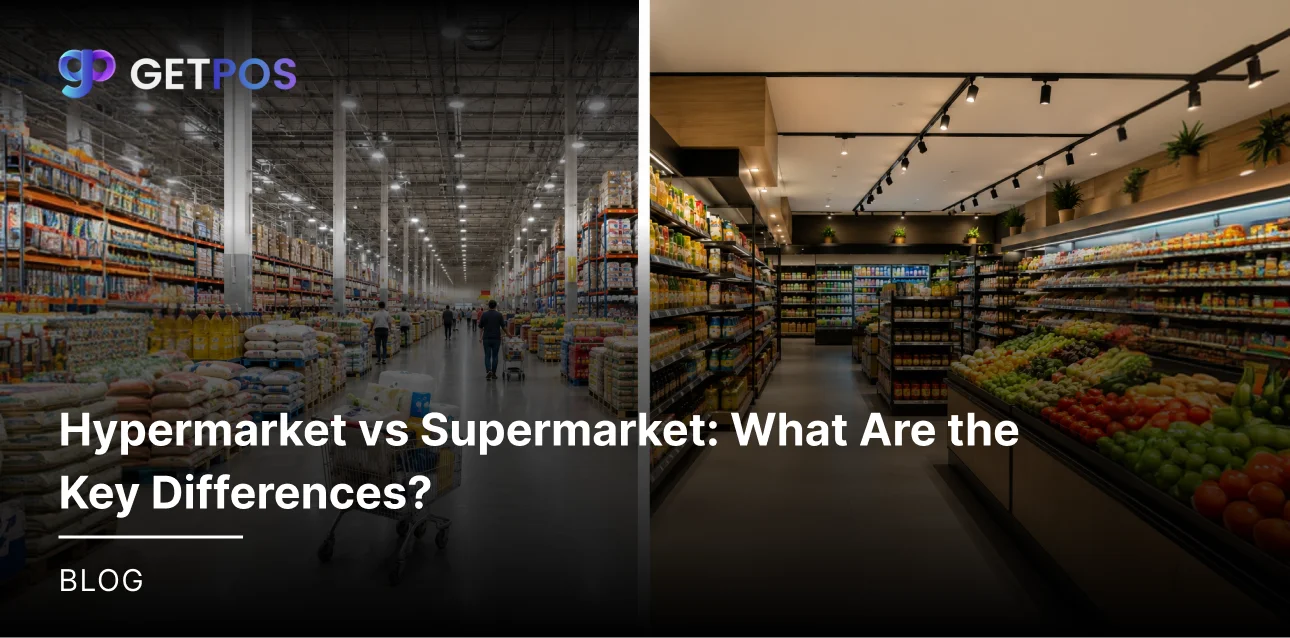
A supermarket is 10,000 to 40,000 square feet and sits inside neighborhoods. A hypermarket is 50,000 to 200,000 square feet or more and sits on the city outskirts.
Product Range
Supermarkets sell FMCG items, vegetables, dairy, and personal care. Hypermarkets sell all these plus electronics, furniture, clothes, and appliances.
Pricing Model
Their retail pricing strategies are different. Supermarkets use weekly discounts and loss leaders on milk or bread to bring customers in. Hypermarkets use bulk volume pricing. You pay less per unit but buy bigger packs.
Choose these POS solutions for supermarkets and grocery stores.
Shopping Time and Experience
A supermarket trip takes 15 to 30 minutes. A hypermarket trip takes one to two hours or more because stores are huge.
Target Audience
Supermarkets serve daily and weekly shoppers who buy small quantities. Hypermarkets serve families who drive once a month to stock up on everything.
Behind the scenes, a supermarket POS system must move lines fast for quick trips. A hypermarket POS system must handle very large bills with many different product types. This operational difference matters for business owners.
GETPOS Pro tip: Choose based on size, not just price. Remember, small trips = supermarket, and big hauls = hypermarket.
Operations & Inventory: How They Differ Behind the Scenes
In terms of the daily operations as well as the backend work, these two stores run very differently. A supermarket keeps fewer product types, usually 15,000 to 30,000 items. Supermarket inventory management focuses on fresh food that expires fast. Staff restock shelves daily, sometimes twice a day for milk, bread, and vegetables. Supermarket operations use lean staffing and simple workflows.
A hypermarket handles 50,000 to over 100,000 different products. Hypermarket inventory management is much more complex because you have slow moving items like furniture and seasonal goods alongside fast moving groceries. Hypermarket operations need separate teams for each department, like produce, electronics, and clothing. Restocking happens continuously but across many zones.
Supermarket logistics mainly involves local delivery from nearby warehouses. Hypermarkets need big supply chain planning with multiple distribution centers. When you scale up, having the right retail software for supermarket or hypermarket software becomes necessary.
Get the best POS systems for home decor retailers.
Technology & POS Systems: What Each Format Needs
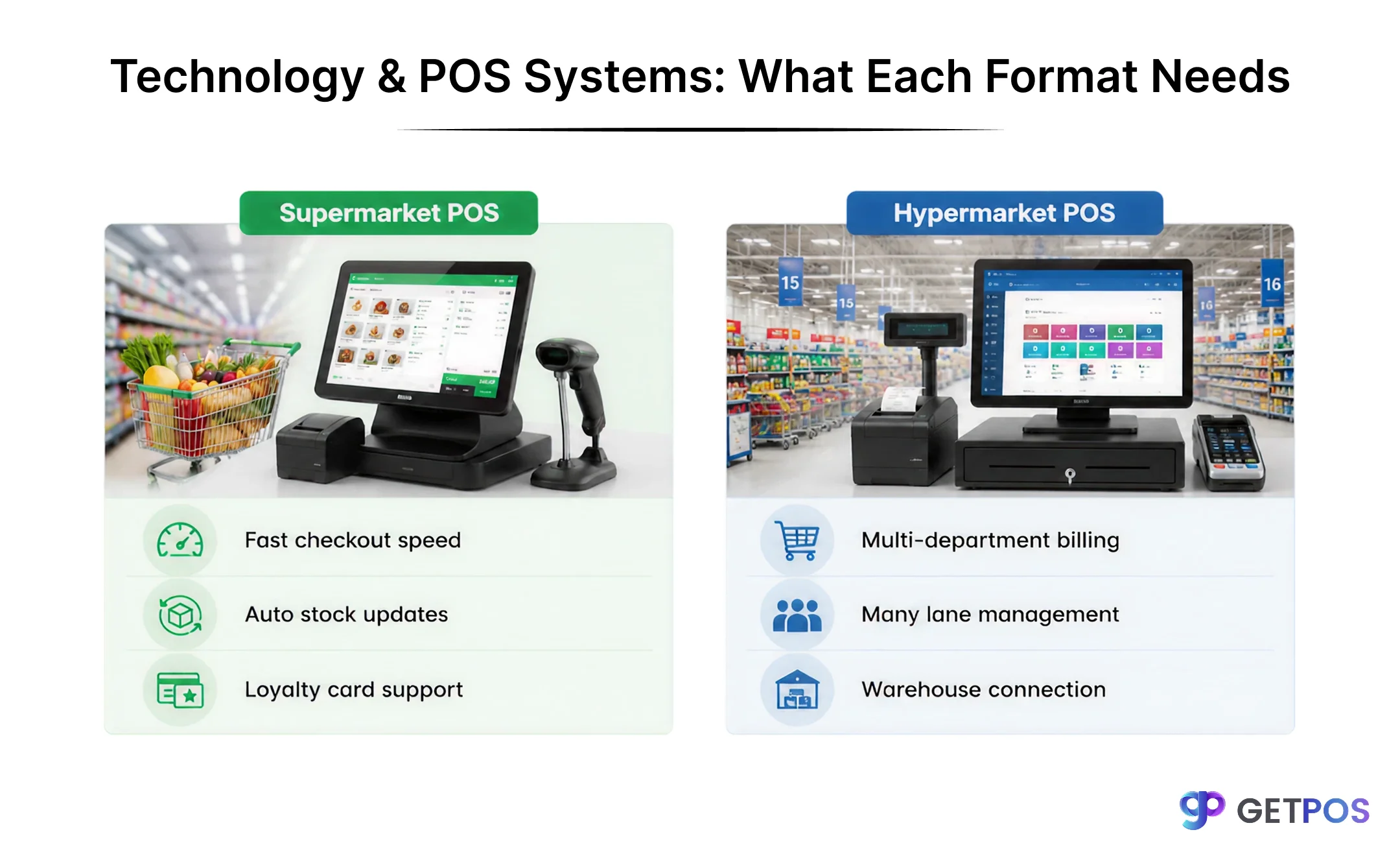
Looking at the difference in the scale and the product range, the technology needs are also very different. A basic billing machine or simple POS does not work for large stores anymore.
For a supermarket, speed is the most important thing. A supermarket POS system must process checkout fast because customers buy few items and do not want to wait in long lines. It should also track stock automatically and connect to customer loyalty programs retail, so regular shoppers get discounts and points. This keeps people coming back.
For a hypermarket, the billing system must handle many different departments on one bill. A hypermarket POS system needs to ring up vegetables, a television, and a school bag in the same transaction. It also needs to manage many checkout lanes at the same time. Large hypermarkets use retail ERP software to connect billing with warehouse, finance, and HR.
Both formats benefit from retail analytics software to find which products sell fast and which sit on shelves. An inventory management system retail cuts down stolen or wasted items and improves profit. As more stores sell online, an omnichannel retail solution helps manage both in-store and delivery orders together.
Conclusion
As a business owner, you must pick the right format and then use the right technology for it. Without proper software, even a good store will struggle with stock counts, slow billing, and unhappy customers. For retail businesses of any size, GETPOS POS System provides simple and reliable POS solutions that fit your store type perfectly, whether you run a neighborhood supermarket or a large hypermarket.
Frequently Asked Questions
A supermarket is better for small business owners because it requires less investment, smaller space, and simpler operations compared to a hypermarket.
Yes. Supermarkets need fast checkout for small baskets. Hypermarkets need multi-department billing and warehouse integration, so one software does not fit both.
Speed and automatic stock updates for fresh items. The system must track expiry dates and reorder milk, bread, and vegetables without manual entry.