
Quick Summary
Picking the right retail POS software starts with knowing your store problems first. Look at daily delays, staff training time, and hidden fees. Focus on systems that update stock in real time, work without internet, and connect to your online store. A good choice saves money and reduces daily headaches.
Table Of Contents
Introduction
We get it, when choosing a retail POS system for your business, you want to take your time and make sure it is the right fit. The market offers many options, but not every system solves your daily problems. You need a tool that handles sales, tracks stock, and helps your team work faster. Retail POS software should simplify your work, not create new headaches. In this blog post, we will show you how to match features to your real store needs. We focus on practical steps to avoid costly mistakes and improve your retail operations management from day one.
Key Takeaways
Know your store problems before comparing features.
Look at long term costs, not just the monthly price.
Pick a system that works offline and updates stock live.
Check if it connects to your accounting and online store.
Choose retail POS software that your staff can learn fast.
Audit and Find Your Operational Pain Points First
Before you make a choice, or get started, you must look at your own store problems first. Many business owners pick point of sale software based on cool features, but those features may not fix what is actually broken. You need to find where your daily work slows down or loses money.
Inventory Tracking Issues
When you lose sales simply because you or your staff cannot find items sitting somewhere on the shelf, that means your retail inventory management is clearly failing, and no amount of fancy features will fix that until you address stock visibility first. You need a system that updates stock instantly across all locations, so every team member knows exactly what is available and where it is located at any given moment.
Similarly, if your staff consistently takes weeks to learn how to use your current system, you need a simpler screen with less clutter, fewer confusing menus, and more intuitive daily workflows that reduce training time dramatically.
GETPOS Pro tip: Write down every delay and mistake during your busiest hour for seven days. That list shows you exactly what your new POS must fix.
Hardware Features and Future-Ready Capabilities to Compare
When selecting the right Retail POS software, you cannot separate the physical hardware from the features that will keep your business relevant for the next few years. This combined section covers both the tools your staff holds and the smart capabilities running behind the scenes.
Moving away from bulky, stationary registers to mobile pos systems allows your staff to walk directly to the customer, check out on the spot, and eliminate long queues during busy hours.
When you combine these mobile devices with employee management software, you can track which associate made which sale and set proper permissions no matter where the transaction happens. Beyond hardware, your point of sale software must include omnichannel retail features like buy online and return in-store, because customers expect this flexibility now.
The upgrade of retail automation software means your system can auto-generate purchase orders when stock runs low, and retail analytics helps you predict what will sell next month instead of just reporting what already sold.
Choose this POS software for furniture and home décor stores.
Subscription Fees and Hidden Charges: Calculating the Real Cost
Let us now see how you can avoid paying too much over time. The lowest priced system often becomes the most expensive choice when you add up hidden fees, so you need to look beyond the first bill.
Upgrade and Update Costs
Most buyers only look at the monthly subscription, but you must also ask about PCI compliance fees, transaction rates per swipe, and customer support charges that appear on later bills.
Choosing cloud-based POS software usually gives you better long-term value because automatic updates come included, and you do not pay for expensive manual upgrades like old on-premise systems require.
This matters for retail operations management because any unexpected fee directly reduces your profit margins. A system that seems cheap for the first three months can hurt your cash flow by the end of the first year if you did not ask about every single fee in writing.
Connecting Your POS to Other Business Tools
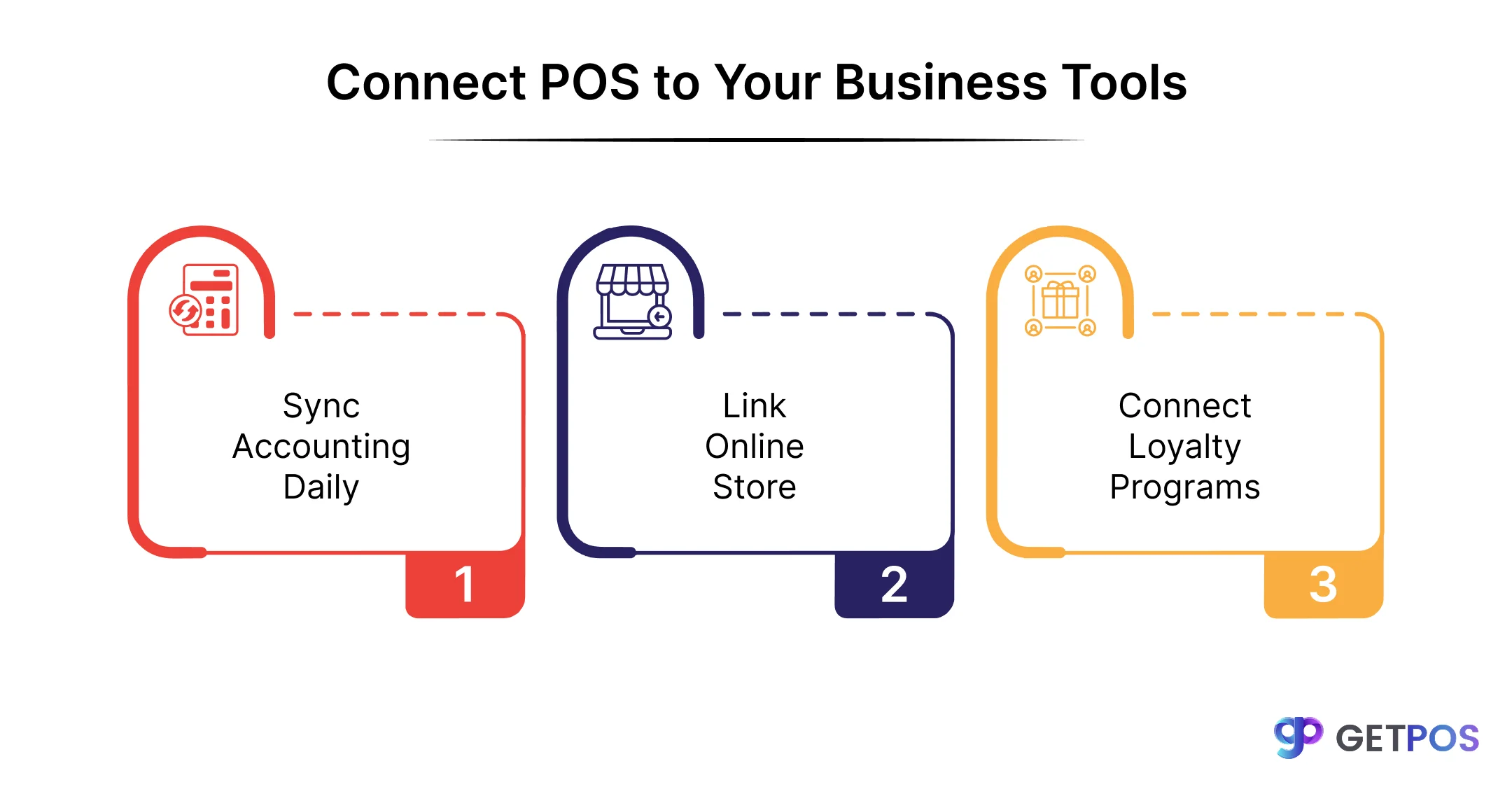
When integrating your POS system to other tools, you must check how well it talks to the software you already use for accounting, online selling, and customer rewards.
Must-Have Connections for Accounting
Your retail management software cannot work alone, because your store likely uses QuickBooks for accounting, Shopify or WooCommerce for online sales, and some form of customer loyalty programs to bring people back. When these tools do not share data automatically, your team wastes hours on manual data entry and makes mistakes that hurt customer trust.
Here you should prioritize systems with open connections over closed ones, because closed systems charge heavy fees when you finally decide to switch or add a new tool later. A good retail pos software solutions provider will give you a clear list of every integration they support before you sign any contract, so you can avoid migration fees down the road.
This is the best POS software for apparel and lifestyle brands in India.
Conclusion
Choosing the right system comes down to your store’s real problems, not flashy features. Start by writing down what slows you down daily, then match those needs to Retail POS software that fits your budget and space. Focus on long-term costs, mobile options, and tools that connect with your accounting and online store. If you want a system that actually solves these daily challenges without hidden fees, look at solutions from GETPOS. We build retail pos software solutions specifically for shops like yours, so you get exactly what you need for your retail store.
Frequently Asked Questions
Cloud-based POS stores data online so you can access it from anywhere, while on-premise keeps data on local servers at your store only.
Costs range from free basic plans to $300+ per month, plus payment processing fees of 2.5% to 3.5% per transaction.
You can migrate historical data using data transfer tools, but check with your new provider about supported file formats before switching.
You typically need a tablet or computer, receipt printer, cash drawer, barcode scanner, and card reader, depending on your setup.